5. Outbound Campaigns
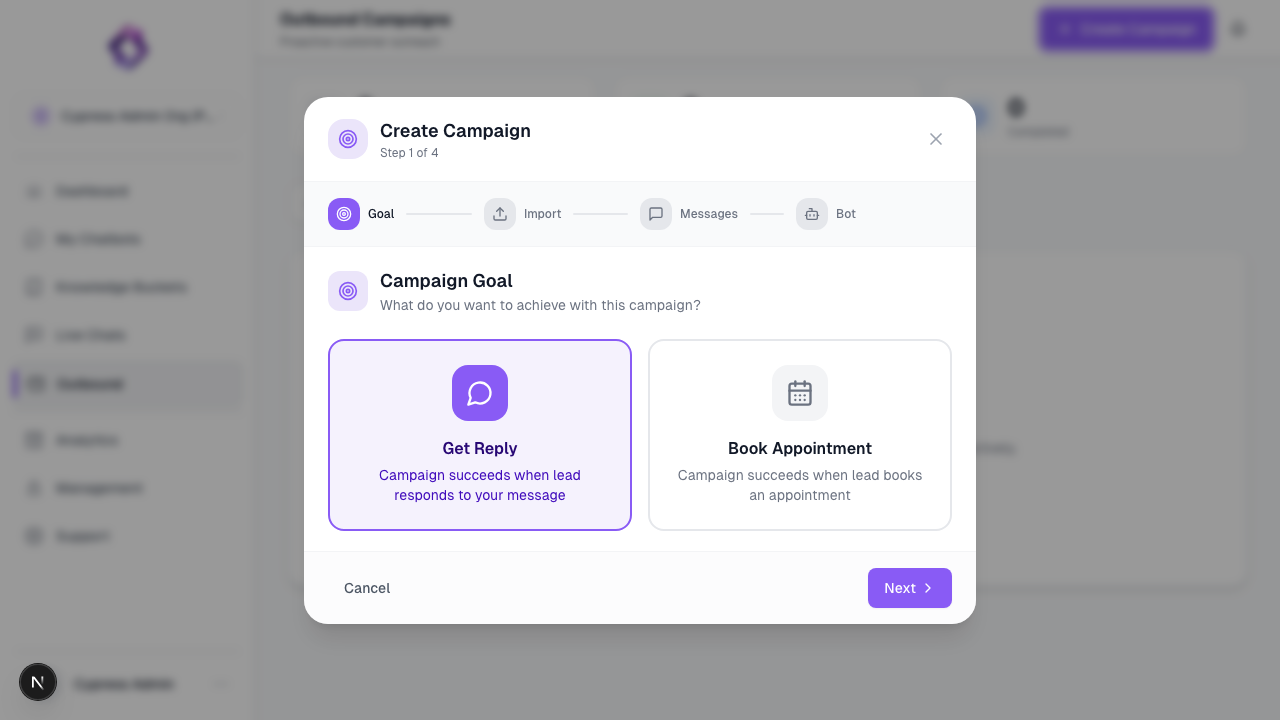
Outbound Campaigns allow agents to send messages proactively to a predefined list of contacts.
Starter Messages
Define the initial message that triggers the conversation. For WhatsApp, this must be a pre-approved template.
Unlike inbound conversations, outbound messaging is initiated by the system and is subject to channel-specific rules and limitations.
What Outbound Campaigns Do
Outbound Campaigns in Texterz:
- Send messages through supported channels
- Reuse existing agents and knowledge
- Stop automatically when a recipient responds
Outbound Campaigns do not replace CRM systems or marketing automation tools.
Supported Channels
Outbound messaging is currently supported on:
- SMS
Each channel applies its own delivery and compliance rules.
→ View Compliance & Security Guide
Campaign Types
One-Time Campaigns
- Send a single message to a list of contacts
- Typical use cases: notifications, follow-ups, updates
Message Sequences
- Send multiple messages over time
- Messages are sent only if the recipient has not replied
- Designed for simple follow-up flows
Creating a Campaign
Step 1: Prepare a Contact List
Upload a CSV file containing your recipients.
Common fields:
phone(required for WhatsApp / SMS)email(required for Email)name(optional, for personalization)- Custom fields (optional)
Contacts must be collected with prior consent.
Step 2: Select Channel and Agent
- Choose the channel used for message delivery
- Assign an agent that will handle replies
- The agent logic remains the same as for inbound conversations
Step 3: Configure Sending Rules
-
Scheduling
Define the days and time windows messages may be sent -
Rate Limits
Control message throughput to reduce blocking risk -
Stop Conditions
Campaigns stop automatically when a recipient replies
Channel-Specific Notes
WhatsApp
- Initial messages must use approved message templates
- Once a recipient replies, the agent can respond freely within Meta’s 24-hour session window
- Violating WhatsApp policies can result in number bans
Email & SMS
- Subject lines and message content must comply with local regulations
- Unsubscribe or opt-out mechanisms are required
Before Using Outbound Campaigns
Confirm that:
- You have explicit permission to contact all recipients
- Message templates are approved (WhatsApp)
- Rate limits are conservative
- The assigned agent is tested for replies
Analytics & Tracking
To understand how your campaigns are performing, including Success Rates, Escalation Rates, and ROI, see Analytics & Reporting.
Next Step
Outbound Campaigns complete the core setup.
For advanced tools and automation, continue with the Advanced section.