Custom Domains & SSL
Texterz provides a fully automated infrastructure for hosting the dashboard and widgets on your agency's custom domain.
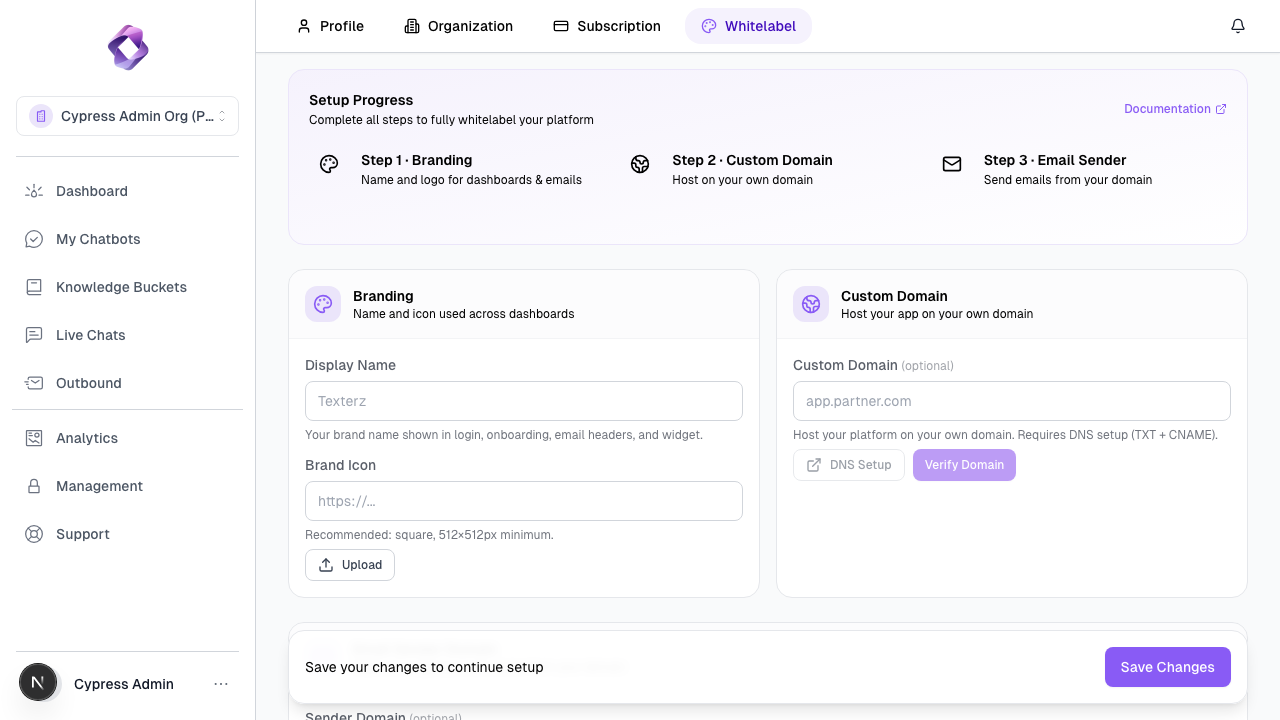
DNS Configuration
To point your domain (e.g., app.youragency.com) to Texterz, you must configure two specific records in your DNS provider (Cloudflare, GoDaddy, etc.).
1. Ownership Verification (TXT)
This proves to Texterz that you control the domain.
- Type:
TXT - Name:
_texterz-verify.app.youragency.com - Value: Your unique Organization Token (found in settings).
2. Traffic Routing (CNAME)
This routes HTTP/HTTPS traffic to our gateway.
- Type:
CNAME - Name:
app.youragency.com - Value:
cname.texterz.ai
Automated SSL Provisioning
Once the DNS records are verified, the Texterz Whitelabel Controller automatically handles the security certificate:
- Request: We request a TLS certificate from Let's Encrypt specifically for your domain.
- Challenge: cert-manager performs an HTTP-01 challenge via port 80.
- Issuance: A dedicated SSL certificate is issued and stored in our secure gateway.
- Renewal: Certificates are automatically renewed 30 days before expiration.
Branding Resolution
When a user visits your custom domain, Texterz resolves the branding in real-time:
- Host Matching: The system checks the
Hostheader (e.g.,app.youragency.com). - Config Lookup: It fetches the logo, colors, and settings associated with the parent organization owning that domain.
- Session Stickiness: A
brandOrgIdcookie ensures that even if the user navigates away, your branding remains visible throughout the session.
Setup Instructions
For the visual setup guide, see the Whitelabeling Overview.